
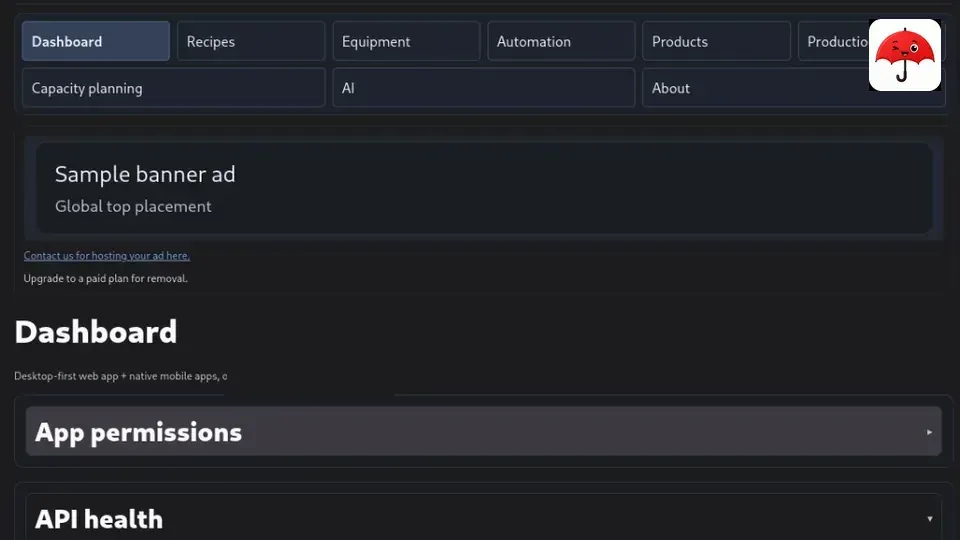
Umbraculum as a niche stack example — native mobile + web surface
Author. A developer who used the stack (local compose, docs, Expo) to evaluate it — not someone who built the core.
How to read this note. The primer is theory for niche owners asking whether a project like this still has a future — and whether one that never had native mobile can have that path now. The technical blocks are optional — for technicians, or to discuss with someone who knows Node/React/Docker/Expo stacks.
In the first days of Cursor 1.x — summer 2025 — someone in chat pointed me at Umbraculum as a concrete example of how an AI editor was supposed to work with a real project: not as a paste-bin for snippets, but as an editor wrapped in rules, skills, and agents that carry the project’s own discipline.
I am not a maintainer of that project. I am a developer who was pointed at it, left it alone for a while, then came back and ran it — clone, Docker, web UI, phone via Expo — with the same questions I ask of any niche stack I might put in front of a client — or, more importantly, in front of a long-time friend who asks for advice: does something shaped like this still have a future? And for a project that never had a native-mobile path — does it have one now?
The point is not whether it becomes a billion-dollar product — if you look at it, the questions are all around survival. The quieter claim underneath is this: Umbraculum is mainly a set of tools and working habits around ordinary building blocks — React Native, Tamagui, Expo, Cursor IDE and plugins — not a proprietary framework you have to marry. A developer who uses it is not tied to “Umbraculum-the-product” the way a closed stack traps you. If that project did not survive, you would lose almost nothing of the craft: you still know React Native + Tamagui + Expo + Cursor, you still ship web and native mobile from shared UI, and you are not stuck waiting on one vendor’s roadmap. What you still want guaranteed is the licence story (fork rights, hard to silently enclose) so a small team — and a friend’s organisation — can keep shipping without being trapped.
What I found when I used it was quieter than a launch post. What had looked like a demonstration surface for a toolset had grown into a usable niche operational platform — web and mobile in one monorepo, modules, licensing written down in public. That is the class of thing agencies, freelancers, NGOs, and small organisations ask for when the real constraint is not “can we invent software,” but “can we stand something up, own it, and keep it movable.”
This piece is not an endorsement. It is a field note from using the stack, in two layers:
- Theory (this primer) — what the public licence docs and manifesto argue (AGPL core + MIT SDK), why an authoring apparatus matters when you actually open Cursor on the repo, why “days not months” is about shared testing when you hit the same API from web and phone. Read this if you are deciding whether your niche still has a path.
- Tech (sections below) — what I observed as a developer wiring compose + Expo; optional depth for technicians, or for a conversation with someone who already knows those tools. You do not need to absorb them to get the argument; they exist so the argument can be checked.
What you can take away without opening a terminal
- One product idea, two surfaces. Operators get a browser app; field people get a phone app. Same product family, not two separate projects that drift apart — that is what you feel when you exercise both clients against one API.
- A written license story. Core is copyleft (AGPLv3); the pieces integrators pin against are permissive (MIT SDK/contracts). That split is deliberate in their public licensing write-up — and rare enough to be useful to explain to a client or a board.
- An authoring apparatus, not a vibe. Cursor alone does not make a niche project maintainable. The umbraculum-toolset plugins encode house rules so a technician who knows Docker and TypeScript does not also need to invent the project’s discipline on day one.
- A low try bar. In practice you can bring a local stack up, seed, smoke — the docs treat “can a small team actually run this” as something to prove early, not a later ops surprise.
For niche owners, agencies, freelancers, NGOs
Non-technical
If your fear is “niche means no future,” the claim to evaluate is structural (licence + toolset + dual surface), not trend charts.
The interesting economic question is not “will this become a billion-dollar product,” because to me it clearly isn’t. By design it cannot be measured that way: Umbraculum is a toolset, not the product itself — a low bar on purpose. It cannot outgrow the products it offers, and it does not own those products. What you should watch for the future — and what I looked at carefully as a developer — are the products and stack choices the toolset wraps: React Native, Tamagui, Expo, Cursor, and the rest. The author had clearly evaluated those at the time of structuring the project and chosen ones most in line with Umbraculum’s licensing posture. The remaining survival question is still structural: is the licensing posture solid enough that a client can leave, and can a small delivery team ship credible web + native mobile without a closed ecosystem?
From the outside — reading their licensing docs and manifesto, then trying the repo — the structural bet leans on:
- Self-host and fork rights on the core (AGPL) — survivability if a vendor relationship cools.
- MIT contracts/SDK — room for a consultancy to build a vertical module without licensing fear as the first meeting topic.
- No certification wall as the skill proxy — their docs argue expertise shows up in public work and conversation, not badge ladders.
As a delivery developer, that combination is why a niche AGPL platform can look agency-shaped: you sell integration and domain fit; the client retains structural exit options; you are not pretending Magento-after-acquisition never happened — just to give an example that has been around for a while in the field.
For the broader “niche projects as prospect” framing (without this depth on one stack), see the companion post Niche projects as future prospect. Service pages that sit beside this note: Niche projects and Mobile apps.
Technical (primer → detail)
| Layer | What it is | Why a delivery team cares |
|---|---|---|
| Core monorepo | umbraculum-dev — API (Fastify), web (Next), native (Expo), Postgres, Docker Compose | One clone, one compose profile for demo/reference |
| Install profile | platform (core foundation) vs reference (example vertical*) | See a worked product without baking that product into every deploy |
| Contracts | Zod schemas in MIT packages | Pin-able surfaces for modules and clients |
| UI | Tamagui — one component tree → DOM + React Native | Avoids “web team / mobile team / two truth sources” |
| Verification | ci-parity, smoke scripts, container-only npm | “Works on my laptop” is not the definition of done |
A vertical*, in this project’s language, is how you build your product with the tools Umbraculum offers — domain modules and screens that sit on top of its foundation, not a rewrite of the foundation. What is interesting is that the structure encourages building on those foundations. What is kept as core is exactly that structure: it is what keeps the toolset’s low bar for entry and for new projects.
Bring-up for hands-on reading (reference profile — full module nav for the example vertical):
cd /path/to/umbraculum-dev
docker compose -f docker-compose.yml -f docker-compose.reference.yml up -d
Plain docker compose up -d boots the core/platform profile — foundation only, fine for integrators; thinner than the reference vertical walkthrough. Public entry docs: umbraculum.dev · docs.umbraculum.dev.
Cursor and umbraculum-toolset (if you know the stack but not Cursor)
Non-technical
Cursor is an AI-assisted editor. That sentence alone is why people either oversell or dismiss it.
What you notice when you open the repo under Cursor is narrower than “AI writes the app”: authoring is useful only under an apparatus — rules (must/must not), skills (runbooks), subagents (specialists), plus the same CI gates (automated checks that must pass before code ships — the same bars a human would face). Their manifesto calls this process-level defect prevention, not magic; as a user of the stack, that matches what the plugins actually do to your session.
If you already know Node, React, Docker, and “don’t commit what you didn’t test,” the toolset is the missing piece that makes AI safe enough to be useful on a licensed, multi-package monorepo. Without it, you get confident wrong code at the speed of autocomplete.
The umbraculum-toolset is a separate sister repo of Cursor plugins. When you work in this monorepo you load a small, workspace-scoped set (common + Node/React + platform) — not every plugin in the marketplace. Too many always-on rules is a failure mode you feel immediately as a developer.
Technical
- Install path: workspace-scoped plugins (see project
docs/CURSOR-PLUGINS.md) — not “install everything globally.” - Witness rules prove the pack is loaded before non-trivial work.
- Skills encode container-only npm, pre-push ci-parity, API tests, Expo doctor, Tamagui hoist checks — the things that burn CI minutes when skipped.
- DCO sign-off and commit discipline show up in the contributor docs: the human remains the named practitioner.
This article is not “use Cursor.” It is “if you evaluate Umbraculum as a developer, evaluate the toolset + monorepo as one system.” That is how the summer-2025 chat example landed for me. For Cursor discipline in general (rules / skills / agents without a product pitch), see How I write code with Cursor and Cursor 3 in practice.
Web + mobile in days: Expo 58, one stack to test both
Non-technical
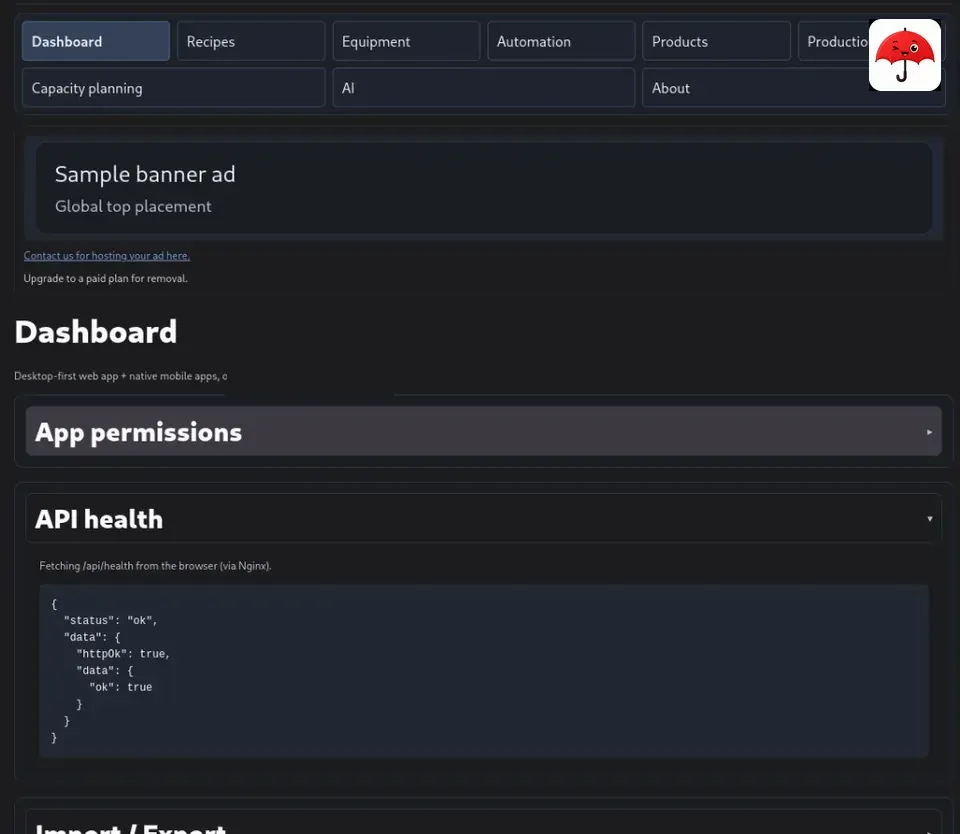
“Mobile app in days” is usually a lie or a throwaway prototype. The softer claim that held up when I tried it: the same repository already carries a native app path, so you are not starting a second company when the client says “and also on the phone.” The public brewery demo at demo.umbraculum.dev is useful here as a web surface you can open without cloning: same illustrative vertical, demo accounts on the login page, and their own note that native preview builds point at that same origin — brew-day flows on device, heavier modules via “open on web.” That is exactly the mobile-first-plus-web shape the stack is arguing for (still illustrative — not an endorsement).
As of this writing (November 2026), the reference native app and native-shell pin Expo SDK 58 (expo@~58.0.23). Device testing needs Expo Go Client 58.x matched to that SDK — version skew is the classic “it worked yesterday” trap; you hit it as soon as the phone’s Expo Go and the repo disagree.
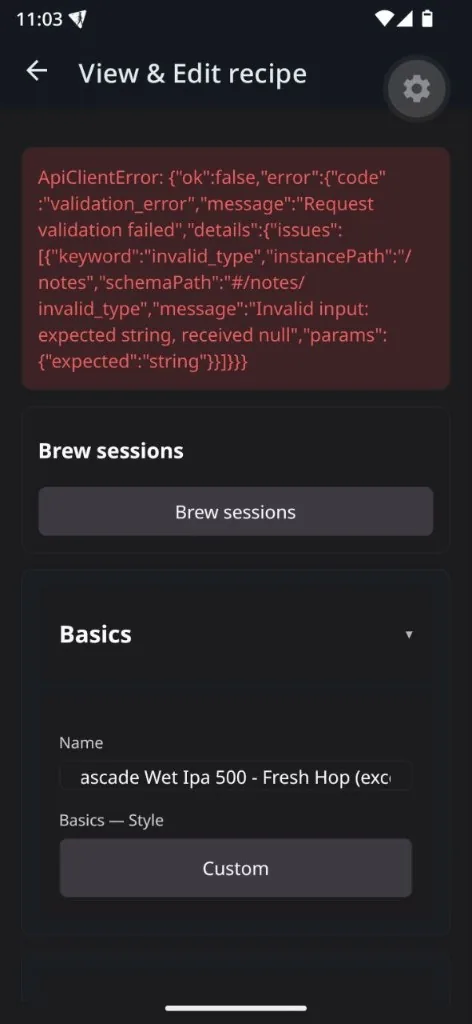
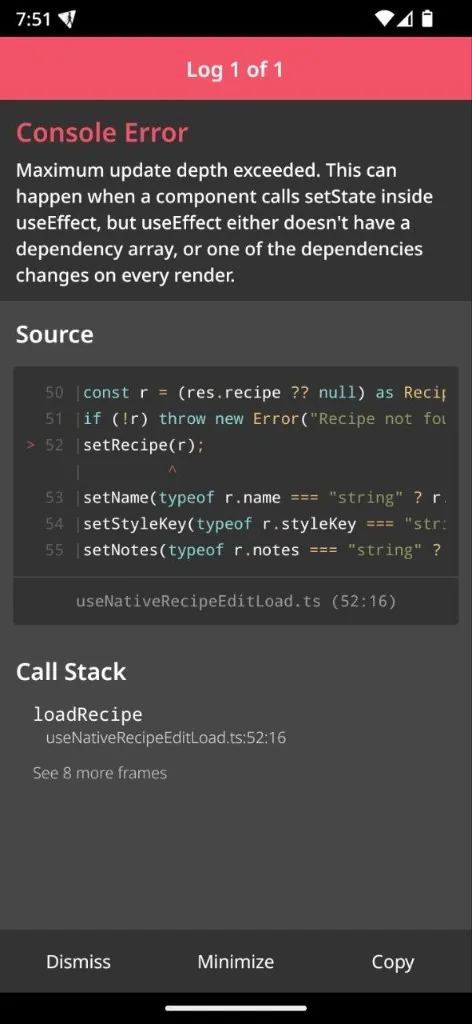
The screenshots below are not hero shots. They are what I saw on device while using the stack: a validation error from the API, and a React Native “maximum update depth” console error with a file/line. That is the point for technicians: mobile-first debugging is first-class when you exercise the app — not an afterthought bolted onto a web-only MVP.
Technical — why the “simplicity” claim is about testing, not about fewer features
- One API, two clients. Web and native talk to the same Fastify surface; OpenAPI-generated types are committed under api-client packages. When mobile shows
validation_error, you are looking at the same Zod world the web uses. - Shared UI primitives (Tamagui). Layout and interaction patterns are meant to travel; native is not a second design system by default.
- Compose for the backend, Expo for the phone. Typical loop: reference compose stack up → Metro/Expo against LAN API → reproduce on device → fix in packages or native app → re-smoke web. No separate “mobile backend.”
- Pinned SDK 58. Treat Expo Go version as part of the environment, like Node 22 in containers.
- Gates that match the claim. Native dependency changes go through doctor-style checks; web/API through ci-parity — so “days” does not mean “skip the apparatus.”
Honest boundary (as a user, not a salesperson): days to a credible walkthrough of your own vertical on that foundation looks plausible when your product is close to what the reference modules already demonstrate. Days to a regulated, multi-country ERP replacement is not a claim I would make from a weekend of running the stack.
License posture in one page (why niche projects get interesting)
Non-technical
AGPL on the core is often treated as “enterprise poison.” Their public licensing write-up reframes it as ecosystem insurance: hard to silently enclose; fork rights stay real; commercial dual-license exists for shops that cannot touch AGPL at all — same source, different paperwork, not a secret feature ladder.
MIT on the SDK is the complementary move a module builder or agency notices first: a pin surface that feels like normal library work.
Together, that is why freelancers and NGOs can care when they evaluate stacks: you can build a living on integration without needing the platform vendor to stay friendly forever — and without needing the client to believe a proprietary lock-in story.
Technical pointers
- Public SoT:
docs/LICENSING.md+MANIFESTO.md(on the docs site) — what I read; not insider briefings. - Mechanism list includes no CLA / DCO / no retroactive relicense of committed AGPL source.
- Easy mix-up when you first open the docs: authoring AI (toolset) vs in-product AI consultant (platform feature) — the manifesto flags that; worth keeping separate as a user too.
Closing
I was pointed at Umbraculum to understand a toolset. When I came back and used it as a developer, I found a niche platform with a public ethics-and-license spine, shipping web and Expo-native from one monorepo.
If the primer answers “could a niche like this survive?” and the tech blocks answer “how would a developer verify that on a laptop?”, the article has done its job — whether or not you ever ship something Umbraculum helped you build — you do not ship Umbraculum itself, and whether or not your niche looks anything like the reference vertical.
The useful evaluation is practical: clone, load the small plugin set, bring the reference stack up, break something on phone and web, see whether the apparatus catches you before CI does. If that loop feels boring in a good way, the summer-2025 chat example still holds — from the outside.
Addendum — after the article was written
This section is an addition. After I had already drafted the field note above, I sent a question through the contact path on umbraculum.dev. Their reply arrived when the article was essentially finished. I am recording it here because it sharpens something the primer already argued — and because it came from them, not from me reading the docs alone.
I asked about their Ubuntu posture. Trying the stack myself I used Debian, and it worked fine. Still, Ubuntu looked like a clear preference in how the project presents itself. The docs say the project is supported on macOS and Windows too, but there seemed to be little effort to show that path in the documentation the way a Windows- or Mac-first audience would need. Given how large that developer audience is, I asked why they do not put clearer effort into Windows and macOS.
Part of the answer I expected — and it matches the rest of this note: the toolset is not tied to an operating system. That fits the claim above that Umbraculum is not a proprietary framework you marry; the craft (React Native, Tamagui, Expo, Cursor) travels. What I found more interesting is what they added next: in their view, using Ubuntu — or Linux more generally — is the only way they see to keep a genuine low bar / low entry product. They treated the open-source “DNA” of the Linux OS as a pillar of how they see the product. If the toolset is supposed to help you ship, then — especially for juniors — it matters that AI can help you on a stack that is open and inspectable; they said that sits a little outside the narrow toolset goal, and yet it is part of how they understand the goal.
I also asked about usability and packaging for a wider audience. They answered candidly: they put no effort into marketing it, and they never will. In their own words the project was born — and is used — to maintain the projects they ship (from what I understood, work based in Canada). That is not a launch narrative. It is a maintenance narrative — which is consistent with a toolset that refuses to be the product.
I had already read a similar thread from them in the past; I cannot find it now. The email reply is what I can cite here.
Written with the help of an AI assistant.